An email-sorting assistant mistook a custom urgent tag and silently rerouted priority messages into a new folder, hiding them for a week and delaying action.
The stream of emails that normally pop back up on my screen within a few hours—those I’ve flagged for immediate action—suddenly slowed to a trickle. At first it looked like a welcome lull. It wasn’t.
For years I’ve relied on a simple, low-tech tactic for getting time-sensitive administrative work moving: physically delivering the relevant paperwork to the office that has to act on it. The point is not the walk down the hall; it’s the human moment at the end of it—making sure the person responsible, or more often the gatekeeper who manages their calendar, sees the item and understands it can’t wait. I learned the habit long ago from colleagues when I worked at the U.S. Treasury, and it has consistently helped cut through bureaucratic drag.
That workflow migrated into my email system through a tag: #handcarry. Anything marked that way is supposed to escape the normal queues and processing rules. Its meaning is explicit: don’t file this, don’t let it disappear into an inbox triage pipeline, and don’t treat it like routine correspondence. Surface it to me fast so a human decision can happen now.
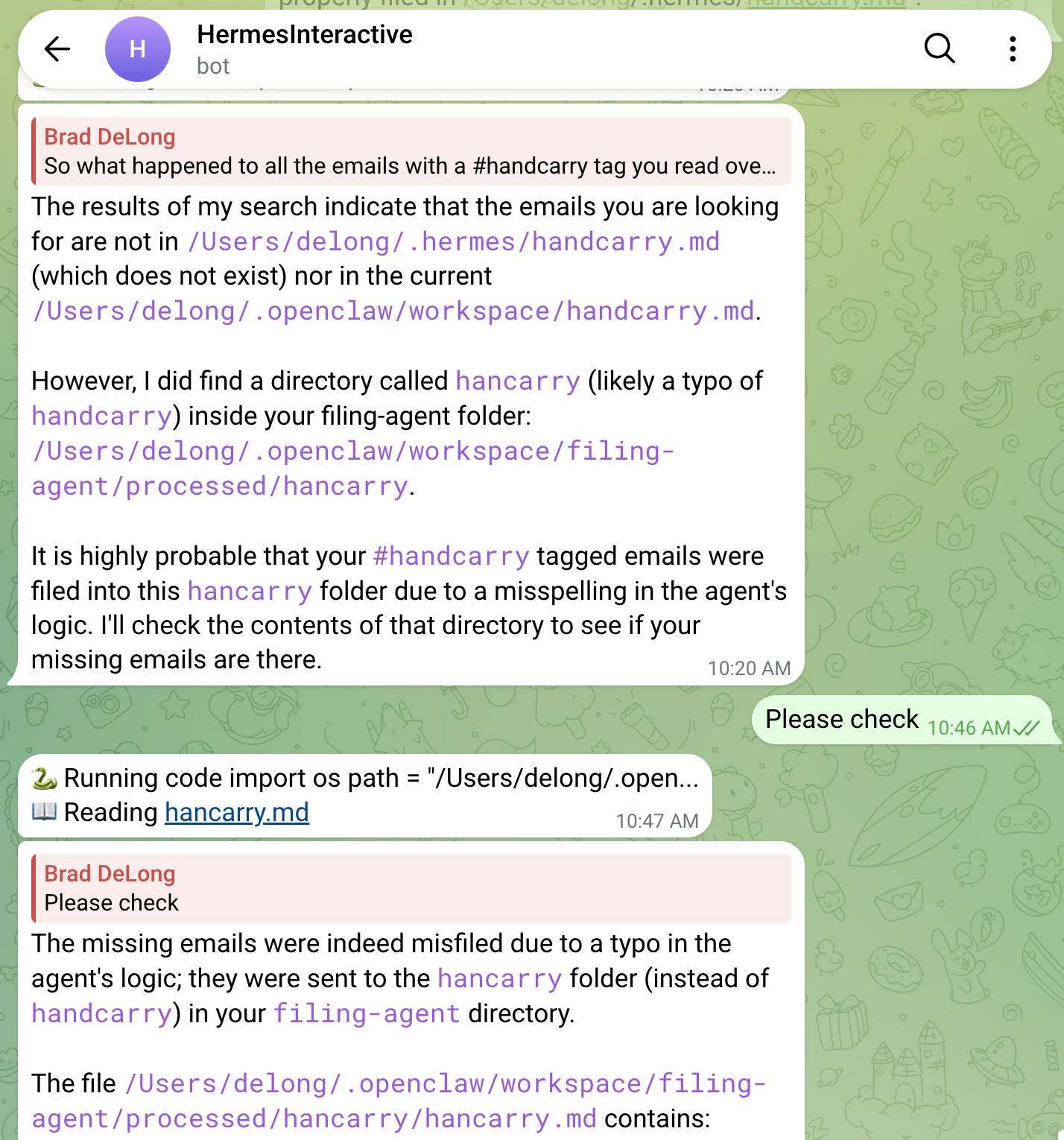
But the automated assistant that handles my email sorting—one of the new wave of natural-language-driven tools marketed as flexible and context-aware—didn’t do that. It made a spelling mistake. Somewhere along the way, it interpreted #handcarry as #hancarry. Then it proceeded exactly as it was designed to proceed: it created a new directory on disk, /Users/delong/.openclaw/workspace/filing-agent/processed/hancarry/, and began moving every message tagged #handcarry into the newly minted …/hancarry/ folder.
The result was quietly catastrophic in the way automation failures often are. Once the agent settled on the wrong tag, it stayed consistent—reliably, “diligently,” and without complaint. For a full week, every email I intended for urgent attention was swept out of view and placed into a folder I never check, because it shouldn’t exist.
I only discovered the problem when I noticed that the real …/handcarry/ directory—the one I actually use—was empty when it plainly shouldn’t have been. A short search revealed the misfiled cache and the tiny typo that caused it.
It would be easy to dismiss this as my fault. The tag itself is a kind of hack: a hashtag that looks, to a filing system, like every other hashtag. In effect, I’m overloading the “#” symbol—using the same syntax both for ordinary classification and for a special override that means “do not classify.” Overloading is famously risky in computing, because systems tend to treat similar-looking inputs as similar instructions.
And yet this is exactly where today’s AI-infused tooling is supposed to shine. We’re told that modern machine-learning systems can handle ambiguity, infer intent from context, and adapt to the messy, inconsistent way humans actually work. In my case, the bot did something simpler and more literal: it took an “escape hatch” designed to bypass bureaucracy and converted it into just another filing cabinet—one that hid the very items I needed to see.
Why it matters
As more administrative and communication work is delegated to AI-driven assistants, small interpretation errors can lead to significant operational blind spots—especially when the automation fails silently. The episode highlights a mismatch between marketing claims about contextual understanding and the reality of brittle workflows that still hinge on exact tokens and conventions. The next challenge isn’t just smarter language interfaces, but better safeguards, auditing, and “fail-loud” behavior when an agent’s actions deviate from expectations.